

今天我們要來做這個紓壓的效果:

然後你可以應用做出一些很酷的效果:
原理
原理其實很簡單。要讓兩個東西之間相連只需要模糊就會糊在一起了。
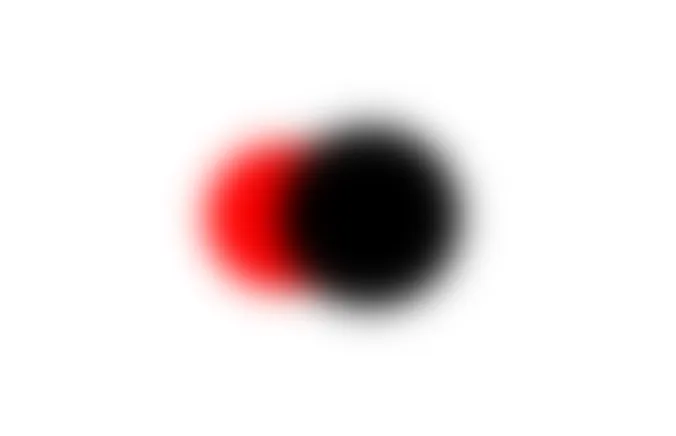
<div class="box"> <div class="circle-small"></div> <div class="circle-big"></div></div>.box { position: relative; height: 100vh; background-color: #fff;}.circle-big,.circle-small { filter: blur(10px); border-radius: 50%; width: 80px; height: 80px; background-color: red; position: absolute; left: 50%; top: 50%; transform: translate(-50%, -50%);}.circle-big { width: 100px; height: 100px; background-color: black; transform: translate(0, -50%);}然後增加對比讓中間模糊的部分更明顯:
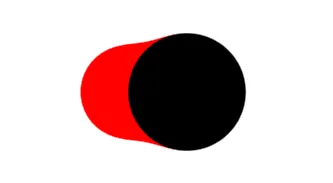
.box { position: relative; height: 100vh; background-color: #fff; filter: contrast(20);}最後讓它動起來
.box { position: relative; height: 500px; filter: contrast(20); background-color: #fff;}.circle-big,.circle-small { border-radius: 50%; filter: blur(10px); animation: 2s infinite move alternate; width: 80px; height: 80px; background-color: red; transform: translatex(20px); position: absolute; left: 50%; top: 50%; transform: translate(-50%, -50%);}.circle-big { width: 100px; height: 100px; background-color: black; animation-delay: -2s;}@keyframes move { from { transform: translate(calc(-50% + 100px), -50%); } to { transform: translate(calc(-50% - 100px), -50%); }}好,結束。
你可以自由應用在你的網頁上。以下是幾個範例:


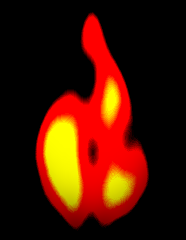

這個效果明天會使用到,你可以來猜猜看。我剩下六天了,接下來原則上都是蠻重要的內容,要來完成一些很常見的版面和許多人習慣直接套庫的東西。以上就是我今天的分享,歡迎在 Instagram 和 Google 新聞追蹤毛哥EM資訊密技,也歡迎訂閱我新開的YouTube 頻道:網棧。
我是毛哥EM,讓我們明天再見。

留言
留言區